Apartment resilience usually starts with measured plug-in loads, a safe indoor battery, portable lights and communications, a charging plan, and clear building rules. A combustion generator is not an apartment solution because exhaust cannot be made safe on a balcony, hallway, garage, or near neighboring openings.
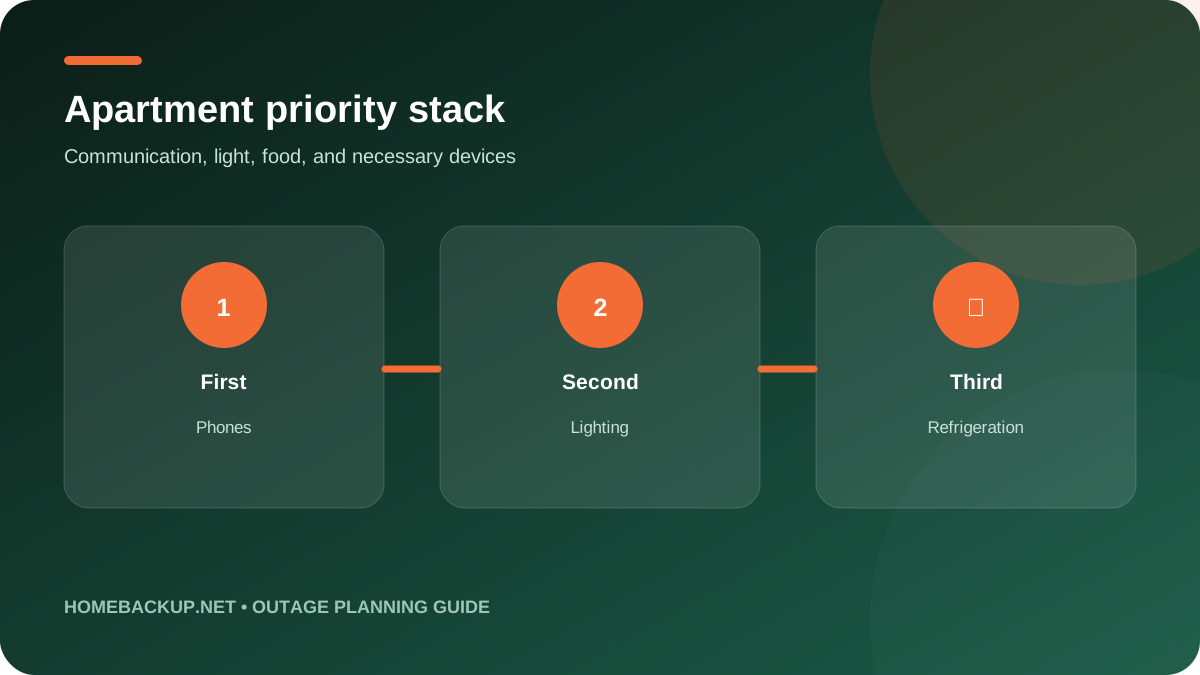
Quick decision table
| Decision point | Published or planned value | Homeowner check |
|---|---|---|
| Phone and small radio | Low watts | Use dedicated power banks first |
| Modem, router, fiber terminal | Often modest continuous load | All required network boxes need power |
| LED lighting | Low watts | Rechargeable lamps reduce cord hazards |
| Laptop and monitor | Moderate and variable | Use laptop battery and reduce brightness |
| Refrigerator | Cycling load with startup | Measure daily kWh and compressor surge |
| Microwave or kettle | High short-duration load | Can consume energy quickly and stress outlets |
| Space heater or AC | Very high sustained load | Usually impractical for portable battery duration |
| Combustion generator | Not suitable | Never operate in or near apartment living spaces |
What this guide is deciding
This guide is for renters, condo residents, and small-space owners who cannot install a generator, transfer switch, rooftop solar, or stationary battery without approval. It focuses on plug-in loads and portable energy. The goal is not to recreate normal electric living, but to preserve communication, safe light, food protection, necessary work, and an exit plan.
For outage planning guide, the objective is a repeatable homeowner decision, not a score made from unrelated maximums. apartment backup power should be judged against the same measured load sheet, outage duration, reserve, and recovery assumptions used for every alternative.
Start with the outage problem, not the largest number on a product page. Write down the loads that must operate, their measured running watts, any motor or compressor startup demand, daily energy use, required voltage, and the longest outage the plan should cover. A system can have enough inverter output but too little energy, or ample battery capacity but no supported way to energize the required household circuits.
Every published maximum needs a configuration beside it. Base units, added battery modules, parallel inverters, transfer equipment, solar hardware, and generator accessories change the result. This guide keeps those layers separate so a multi-unit headline is not mistaken for one-box capability. Verify the current manual and itemized bill of materials before ordering because regional versions and supported accessories can change.
- List essential loads and outage duration.
- Separate continuous watts, startup demand, and daily energy.
- Compare exact configurations at the same duty level.
Architecture and configuration
A practical apartment kit has several layers: phone power banks, battery lighting, a modest UPS for network equipment, a larger listed power station for selected AC loads, charging cables, and a non-electric emergency kit. Redundancy is useful because small batteries can be moved or recharged separately and one failure does not remove every essential function.
Architecture changes daily operation as much as capacity. For apartment backup power, document which component performs conversion, storage, isolation, monitoring, load control, and recovery. The system boundary should be understandable without marketing shorthand.
Treat the complete backup design as a chain: energy source, inverter, battery, isolation or transfer device, protected circuits, controls, and a recovery source. The usable system is limited by the weakest link. A powerful inverter does not correct an undersized circuit, incompatible battery, missing neutral strategy, or unavailable transfer accessory. Ask the installer to label each component and explain what remains powered if one component or internet service is unavailable.
Proprietary integration can make setup and monitoring simpler, but it also creates long-term dependencies. Record model numbers, firmware, approved battery combinations, cable types, breaker sizes, and commissioning settings. Keep manuals offline. If an expansion is planned, confirm that later modules may be mixed with the installed generation and that warranty or code rules do not require a particular installation sequence.
- Name every inverter, battery, controller, panel, and cable.
- Confirm generation compatibility before planning later expansion.
- Document local operation when internet or cloud service is unavailable.
Continuous output and motor starting
Most communications and lighting loads are small. Refrigerators add compressor startup. Microwaves, kettles, hot plates, space heaters, hair dryers, and portable air conditioners can demand more than an apartment battery should sustain. Measure each device and schedule high loads one at a time. Never use a power strip to exceed the station or receptacle rating.
Power planning for apartment backup power should include a normal day, the worst simultaneous protected load, and the single hardest motor start. Record what must be turned off before a high-demand appliance is enabled and who is responsible for that action.
Use continuous output for sustained planning. Surge, peak, boost, or timed modes may help start a motor, but they are not a substitute for the normal rating. For HVAC, wells, pumps, refrigerators, and other motors, obtain nameplate running current and locked-rotor or startup information. A soft starter may reduce demand, but it must be selected and installed for the exact equipment and does not guarantee that every backup source can start the load.
Also check the limit of the individual outlet, branch circuit, transfer connection, and protected-load panel. Total inverter output can be higher than the power available from one receptacle or circuit. Build a simultaneous-load schedule for cooking, water heating, HVAC, pumps, and EV charging. Load management is often more economical and reliable than sizing the system so every large appliance can run at once.
- Use continuous output for sustained design.
- Measure motor startup instead of relying on a generic appliance table.
- Check outlet and branch-circuit limits, not only total inverter watts.
Battery capacity and realistic runtime
Build a watt-hour budget for a full day. Phones, router, modem or fiber terminal, laptop, lights, and a medical or accessibility device should be listed separately. Refrigeration is best estimated from measured daily kWh. Preserve reserve for calls and emergency information. A 1 to 3 kWh station can be useful, but runtime varies dramatically with heating or cooling.
Use at least three runtime scenarios for apartment backup power: quiet overnight essentials, active daytime essentials, and a short high-load interval. This exposes whether the design is limited by stored energy, output, or the ability to recharge before reserve is exhausted.
Runtime begins with usable watt-hours, not the battery name alone. A practical estimate subtracts the required reserve, conversion losses, standby consumption, cold or hot weather effects, and battery aging. Divide the remaining energy by the average load, then test the result against a daily energy budget. Cycling appliances need measured daily kilowatt-hours because their duty cycle changes with weather, door openings, household behavior, and maintenance condition.
Do not confuse expansion energy with added inverter power. Some battery modules increase runtime while output remains fixed; other platforms need added power modules to raise both. Compare a small, medium, and long-outage configuration. The long-outage case should include recovery, because buying enough battery for every possible event can be less practical than combining controlled loads with solar or properly operated generator charging.
- Reserve energy for the end of the outage.
- Use measured kWh per day for cycling loads.
- Model battery aging and difficult weather.
120V, 240V, circuits, and load control
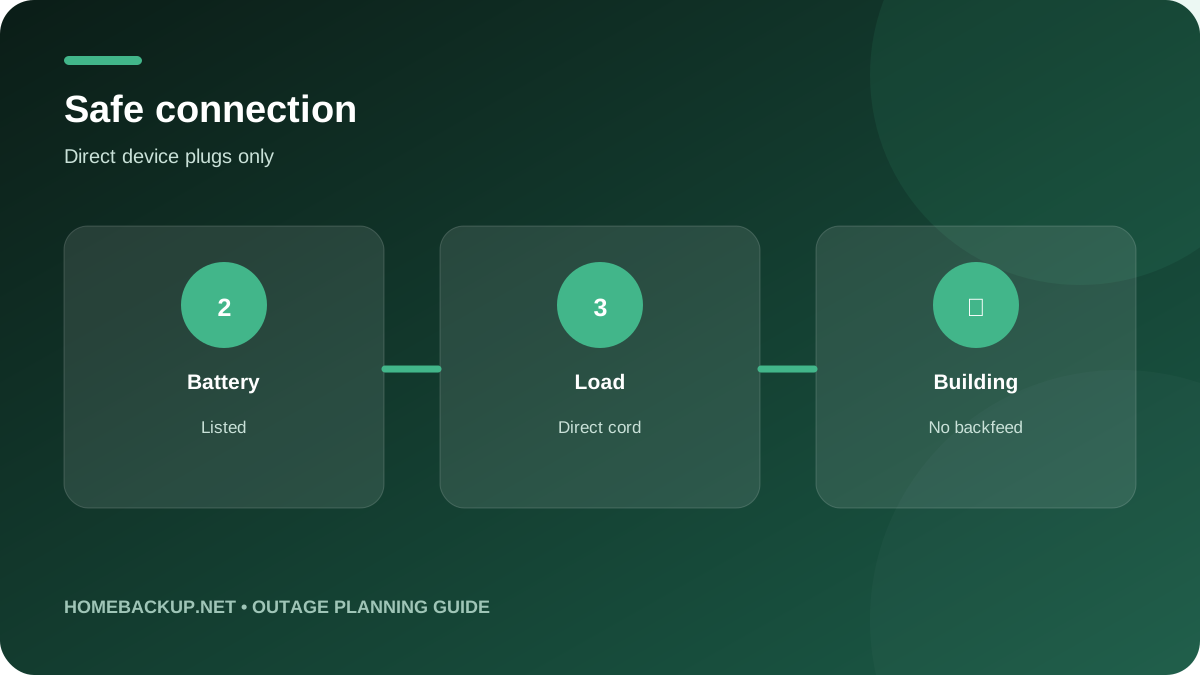
Apartment backup should normally stay with direct 120V plug-in loads. Do not connect a power station to a wall receptacle, dryer outlet, panel, or improvised inlet to energize apartment wiring. Building electrical systems and shared circuits are not under the renter’s control. Use correctly rated cords in open, protected routes that do not create trip or egress hazards.
A panel diagram for apartment backup power should identify 120V and 240V circuits, leg assignment, breakers, transfer boundary, and controlled loads. Ask for a written explanation of what the homeowner can safely operate at the same time during an outage.
In a U.S. home, 120/240V split-phase capability matters for central air, heat pumps, electric water heating, ranges, dryers, wells, pool equipment, and EV charging. A 240V receptacle does not automatically mean the system can start every 240V load or energize an entire service. Confirm voltage, frequency, neutral and grounding method, maximum current, breaker protection, and whether both legs remain balanced in the intended backup mode.
A circuit plan should show which loads are always protected, which are shed automatically, and which require the homeowner to turn something else off first. Essential-load panels make the boundary visible. Smart panels can add control but also add compatibility and software questions. Direct plug-in operation avoids household backfeeding, yet it still requires correctly rated cords and an operating plan that does not create trip or fire hazards.
- Confirm 120/240V split-phase support where needed.
- Map every protected circuit and load-shedding rule.
- Verify neutral, grounding, breaker, and inlet requirements.
Solar, grid, and generator recovery
Charge before forecast events and keep small power banks topped up. During an outage, grid charging may be available at a designated community center, workplace, vehicle, or building resilience room. Solar may help only where building rules, safe placement, and adequate sunlight allow it. Never hang panels or cables where they can fall or block fire access.
Recovery is part of capacity. For apartment backup power, calculate expected energy added during a winter day, a cloudy day, and a short generator or grid window. Compare that result with the protected loads’ daily consumption rather than the theoretical maximum input.
A multi-day plan must replace energy at least as quickly as the protected loads consume it. For solar, compare the array voltage window, current limits, maximum input, number of MPPT channels, shading, season, orientation, and realistic peak-sun hours. The maximum solar input is an equipment ceiling, not an all-day production promise. Grid charging speed matters before a forecast outage and during short restoration windows.
Generator charging can reduce fuel use because a generator may run at an efficient load while batteries cover quiet periods. Confirm the supported input, cord, grounding and bonding instructions, charging power, and whether charging can occur while loads operate. Combustion generators must stay outdoors and away from building openings. Automation does not remove carbon-monoxide, exhaust, fuel-storage, noise, or maintenance responsibilities.
- Model realistic daily solar harvest.
- Confirm maximum charge rate and input window.
- Operate combustion equipment only outdoors and as instructed.
Outage transfer and operating behavior
A portable power station does not automatically protect the apartment. Plug selected loads directly into its approved outlets or use the manufacturer’s UPS function for a defined device. A router may also lose service if neighborhood network equipment is down. Keep offline contacts, maps, building instructions, and a battery radio where appropriate.
A successful outage test for apartment backup power should cover grid loss, stable island operation, low-battery behavior, source recovery, and return to utility service. Record any devices that restart incorrectly and update the operating plan before relying on the system.
Separate outlet-level UPS behavior from household transfer. A product may switch a protected receptacle quickly while home circuits remain unpowered. Circuit backup needs a listed isolation method that prevents energizing the utility grid. Determine whether transfer is manual or automatic, whether solar remains active during an outage, how the system behaves at minimum state of charge, and how it returns to grid power after service is restored.
Sensitive electronics may have their own continuity requirements. Even a published millisecond value does not guarantee that every computer, medical device, motor control, or network appliance will ride through. Keep a dedicated UPS where interruption cannot be tolerated and confirm device-manufacturer guidance. Practice the outage sequence so every adult in the home understands load shedding, restart order, alarms, and safe shutdown.
- Distinguish receptacle UPS from household transfer.
- Verify utility isolation and return-to-grid behavior.
- Test the sequence with real protected loads.
Installation, permits, and commissioning
No permanent electrical work should be attempted without property approval and qualified professionals. Even portable equipment needs a planned location with clearance, temperature control, protection from water and impact, and an unobstructed exit. Ask management about charging rules, battery size restrictions, emergency power areas, elevator operation, and evacuation communication.
The final proposal for apartment backup power should state who handles design, permits, utility communication, site preparation, electrical and fuel work, commissioning, warranty registration, and homeowner training. Undefined responsibility is a project risk.
Fixed connections belong in an itemized project scope prepared by qualified professionals. The authority having jurisdiction decides which adopted electrical, building, fire, and mechanical rules apply. Utility approval may also be required for grid-connected solar or export. Placement can affect clearances, temperature, flooding exposure, vehicle impact, egress, communications, conductor length, and service access. A national product listing does not replace local approval.
Commissioning should prove more than app connectivity. Test a real outage, transfer in both directions, selected circuits, motor starting, solar operation while islanded, generator charging if included, reserve behavior, alarms, manual shutdown, and homeowner access. Collect permits, inspection sign-off, as-built diagrams, photos of concealed work, model and serial numbers, warranty registration, installer contacts, and a written explanation of future expansion limits.
- Use qualified installers for fixed wiring.
- Obtain local permits and inspection approval.
- Keep as-built documents and commissioning results.
Safety, placement, and emergency operation
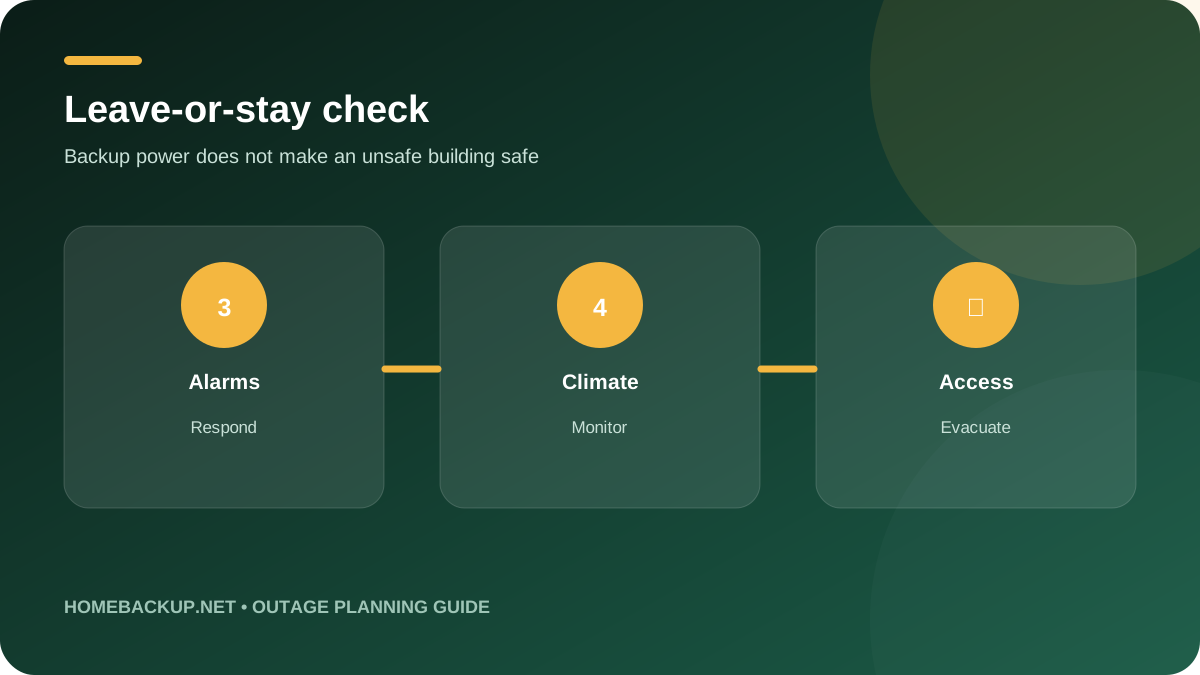
Never operate a gasoline, propane, natural-gas, charcoal, or other combustion device inside an apartment, on a balcony, in a garage, hallway, stairwell, or near windows and doors. Carbon monoxide can enter your unit or a neighbor’s. Do not use a gas oven for heat. Maintain working smoke and carbon-monoxide alarms and leave if authorities or building staff instruct.
Safety claims for apartment backup power apply only to the documented configuration and intended environment. Follow labels and manuals, keep emergency shutdown access clear, and make sure first responders or building staff can identify the equipment when appropriate.
Use listed equipment in approved combinations and follow the current manufacturer instructions. Do not improvise high-current cables, adapters, neutral connections, transfer methods, or household backfeed. Keep batteries dry, protected from damage, within their allowed temperature range, and clear of exits or required ventilation paths. Stop using equipment that is swollen, damaged, wet, unusually hot, giving off odor, or reporting a serious fault.
Build a layered emergency plan rather than relying on one device. Maintain smoke and carbon-monoxide alarms, flashlights, communications, medication plans, and a way to leave if the building becomes unsafe. Keep emergency contacts and shutdown instructions accessible without internet. Backup power protects selected functions, but it does not make a flooded, fire-damaged, structurally unsafe, or carbon-monoxide-contaminated home safe to occupy.
- Use approved combinations and undamaged cables.
- Protect equipment from water, impact, heat, and blocked egress.
- Maintain a non-electric emergency and evacuation plan.
Warranty, service, software, and expansion
Choose equipment with a recognized safety listing, clear warranty, available replacement cables, and an understandable manual. Store the battery partly charged according to manufacturer guidance, inspect it regularly, update firmware cautiously, and test the full kit every few months. Replace damaged or swollen batteries and recycle them through an appropriate program.
The ownership plan for apartment backup power should name the local service company, response process, maintenance schedule, spare or replacement path, app account owner, and records kept with the home. Review it after any expansion or major firmware change.
Compare warranty years with throughput limits, retained-capacity terms, labor coverage, shipping responsibilities, required internet connectivity, maintenance duties, and transferability. A long equipment warranty can still leave the owner paying for diagnosis, access, removal, freight, or reinstallation. Ask who can provide local service, what replacement parts are stocked, and how long the home can operate if a proprietary controller or cloud feature is unavailable.
Software adds scheduling, storm preparation, monitoring, and remote service, but it also changes during ownership. Record critical settings after commissioning and review release notes before major updates. Confirm whether essential backup still works locally without broadband. For modular systems, price the cables, panels, batteries, labor, permits, and floor or wall space required for the next expansion, not only the initial unit.
- Read warranty exclusions and labor terms.
- Confirm local service and replacement-part access.
- Price the full future expansion path.
Who should choose it and what to compare next
A small household may start with power banks, rechargeable lights, and a router UPS. Add a 1 to 2 kWh LFP station for longer communications and laptop use, then size refrigeration only after measurement. Larger stations make sense when accessibility, necessary equipment, or longer outages justify the weight and storage space. Evacuation remains part of the plan.
A strong final decision on apartment backup power can be explained in one paragraph: which loads are protected, for how long, how they recover, how transfer works, who installs and services the system, and which limitations the household accepts.
A defensible shortlist uses the same load sheet and outage scenario for every candidate. Ask each seller to identify the exact configuration, normal continuous output, usable energy, supported voltage, transfer method, solar and generator recovery, environmental rating, warranty, local service path, and total installed scope. Reject a comparison that mixes a base price or base unit with another brand’s fully expanded capability.
Before committing, compare at least one alternative architecture. A portable system may be better for renters or direct appliance loads. An installed battery may be better for quiet automatic operation and solar use. A standby generator may be better for repeated long outages with a reliable fuel source. A hybrid can balance quiet operation and duration. The right answer is the smallest complete system that meets the measured need with a safe recovery plan.
- Compare itemized systems against one load sheet.
- Require written assumptions and exclusions.
- Choose an architecture that can be operated safely by the household.
Frequently asked questions
Can I run a generator on an apartment balcony?
No. Carbon monoxide and exhaust can enter your unit or neighboring openings. Balconies do not make combustion equipment safe.
Can I plug a power station into a wall outlet to power the apartment?
No. That can backfeed building wiring and create severe shock and fire hazards. Plug selected devices directly into approved station outlets.
How large should an apartment battery be?
Add measured watt-hours for essential loads and outage duration, account for reserve and losses, and avoid sizing around electric heating or cooling unless specifically necessary.
Can it run a refrigerator?
Many stations can if compressor startup fits. Measure daily energy, keep the door closed, and consider whether building rules allow the cord route.
Will Wi-Fi work during a blackout?
Your equipment may run while neighborhood or building network equipment is offline. Power the modem, router, fiber terminal, and mesh nodes, and keep mobile alternatives.
Is LFP safe indoors?
A listed LFP station used as directed avoids combustion exhaust, but all batteries require correct charging, clearance, temperature, damage inspection, and unobstructed egress.
Can I use solar panels from a window or balcony?
Only if building rules, secure placement, sunlight, cable routing, weather, and fall protection make it safe. Never create a falling-object or fire-access hazard.
When should I leave instead of relying on backup power?
Leave when authorities or building management direct, when heat or cold becomes unsafe, alarms activate, flooding or fire occurs, medical needs cannot be supported, or exits and communications are compromised.
Continue planning
Sources and review basis
Reviewed July 23, 2026. Product configurations, manuals, availability, software, warranties, codes, and utility rules can change.
- Ready.gov power outages
- Ready.gov emergency kit
- CPSC carbon monoxide safety center
- DOE battery and solar fire safety
- UL Solutions energy storage testing
Manufacturer specifications are configuration dependent. HomeBackup.net separates normal output, short peak or surge, base energy, expanded-system maximums, and transfer equipment. Verify the current U.S. manual, local approval, and itemized installer scope before purchase.